
Consultancy Services

PROJECTSPROPOSALSBUSINESS PLANSANY OTHER
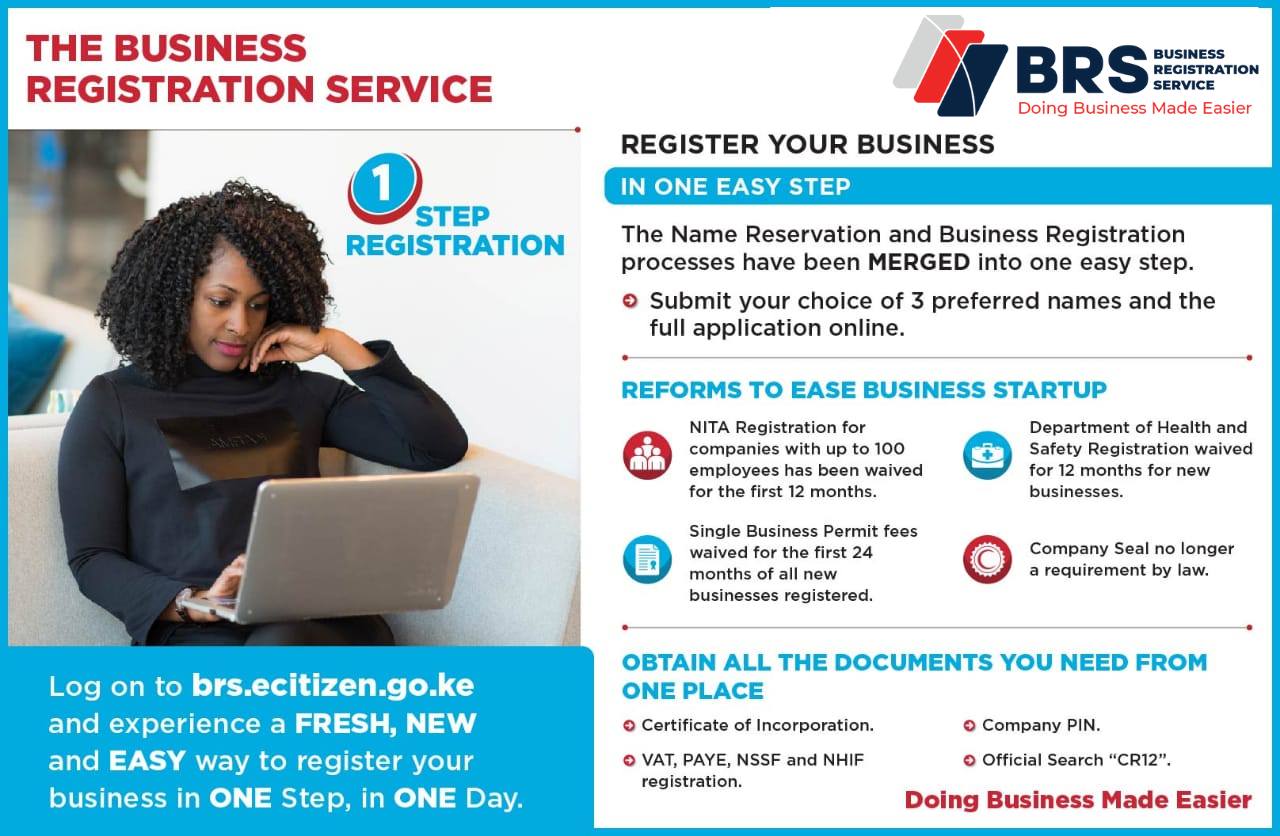
What you need to do is sign up for e-citizen account on www.ecitizen.go.ke. You need either a national identification number or an alien identification number to be able to get an account registered.In the E-Citizen portal, there is a Business Registration Services (BRS) option where you can conduct a search for your company through the company name or the company registration number. After which you will need the following details to be able to complete the linking of a business process:Designation of the company officials (i.e. director/director shareholder/shareholder/ company secretary),Telephone numbers of the directors and the company,Email addresses of the directors and the company,Postal address of the company and the company officials,Identification Numbers,Company building/Plot L.R. No.County, district, locality and street where the company is located.It is important to note that you ensure that the manual file is up to date to facilitate prompt action by our back end team. The information is then compared with the manual file if everything is in order the company is then verified on the e-citizen portal.
CONSULT FOR PROJECT/PROPOSAL WRITING

COUNTY SINGLE BUSINESS PERMIT (SBP) ADMINISTRATION
DOCUMENT PAGE-NETTING (TABLE OF CONTENT AND NUMBERING)


EPSON L382 386 486 ADJUSTMENT PROGRAM

HELB ACCOUNT CREATION

RequirementsA copy of the Applicant’s national ID CardCopies of the parents’ National ID Cards/death certificate where the parent is deceasedCopies of both guarantors’ National ID CardA copy of the applicant’s admission letter and KCSE result slip/certificateA copy of the applicant’s Bank ATM/Bank card (for Government sponsored students only)A copy of the applicant’s Smart Card from the institutionOne recent colored passport size photograph of the applicant.

Requirements for new (First time) applicationsA duly filled application Form 19 and 2 payment invoicesOriginal Birth Certificate and a copy for citizens of Kenya by birthCertificate of Registration for citizens of Kenya by registrationOriginal applicant’s national identity card and a copy for adultsCopy of the recommenders national identity cardDuly filled Consent Form for minorsCopies of parents’ national identity cards/ Death certificates where applicableOriginal and Copies of parents’ birth certificatesAnd any other additional document as may be requiredPayment of the prescribed fee
The Kenya Universities and Colleges Central Placement Service (KUCCPS) is a State Corporation that provides career guidance and selects students for admission to universities, national polytechnics, technical training institutes and other accredited higher learning institutions for Government of Kenya-sponsored programmes.
PARTNERSHIP DEED

The Kenya Medical Training College is a state Corporation under the Ministry of Health entrusted with the role of training of the various health disciplines in the health sector, to serve the local, regional and international markets.REQUIREMENTSID FRONT AND BACKBIRTH CERTIFICATE INCASE OF NO IDKCSE AND LEAVING CERTIFICATESRESULT SLIP INCASE OF NO KCSE
BUSINESS NAME REGISTRATION CERTIFICATE

Important Notes for Applicants (TSC Does Not Accept Paper Applications).1. All sections of this registration application MUST be completed in full.2. Please fill in all the required information.3. It is a serious offence to willfully give false information to the Teachers Service Commission. The law provides that any person convicted of the offence may be fined up to Ksh 100,000 or imprisoned for Twelve (12) months or both (Section 44 of TSC Act No. 20 of 2012).4. You can save part of this form and complete it on a later time if necessary.5. Scan and Attach Only the Required Documents: a. Only original documents should be scanned and uploaded. b. For Expatriate Teachers, attach a letter of clearance from Ministry of Education Vetting Committee.6. For New Registration a non refundable fee of Kshs. 1060/- deposited to the TSC Registration Account National Bank of Kenya (Direct Banking to A/C No. 01001000905001 or Simple Banking using Pay Bill Business Number 625625 is required for processing your certificate. Ensure you have Bank Deposit Slip before proceeding with the application.7. For Duplicate Certificate Application a non refundable fee of Kshs. 2060/- deposited to the TSC Registration Account National Bank of Kenya Direct Banking to A/C No. 01001005707400. Ensure you have Bank Deposit Slip before proceeding with the duplicate certificate application.KINDLY NOTE THAT AS FROM 3RD FEBRUARY 2022 REGISTRATION FEES WILL BE KSHS 1060/-AND APPLICATION FOR DUPLICATE CERTIFICATE WILL BE KSHS 2060/-

Deep cleaning requires alcohol and a lot of caution. This type of cleaning is necessary when the motherboard has been in a filthy environment, or something was spilled on it. If you do it improperly, you can brick the motherboard.For reference, I’ve only had to deep clean a motherboard once — when we bought a possibly damaged motherboard for a test build, and there was visible dirt on it. There are three computers used daily in my household, and we’ve never had to deep clean the motherboards we purchased new for them. Routine cleaning is something you should include as part of your regular computer maintenance schedule. It doesn’t require much special equipment, and you don’t have to remove your motherboard from your computer to do it. This is the only kind of motherboard cleaning that most people need to do.

We prefer using ANYDESKWhy do people use remote desktops?People use remote desktop access capabilities to perform several tasks, including the following:access a workplace computer from home or when traveling;access a home computer from other locations;fix a computer problem;perform administrative tasks;demonstrate something, such as a process or a software application;perform file transfers from one machine to another; andprint documents from the remote machine.Benefits of remote desktopsIT pros and organizations see remote support as a valuable tool to improve security and provide end users the flexibility to use personal devices or low-cost endpoint devices to access key resources within the corporate network. Additional benefits include the following: access restricted content located on remote networks from any endpoint;offer flexibility to work virtually anywhere while still able to access company network and content;reduce the cost of workstations by using server technology to deliver a full remote desktop to a low-cost thin client or machine; andrestrict access to specific applications and systems to machines located within the network.Challenges of remote desktopsThere are a few ways to implement a remote desktop for an organization. In some cases, users can adopt free online tools to implement a remote desktop, while other alternatives are more enterprise-ready. These choices can pose a significant challenge for IT if users deploy remote desktop tools without prior approval or notification. Other challenges include the following:Using a remote desktop requires bandwidth, which means a company may see some performance issues and a lag in mouse movement and response time.Remote Desktop Protocol (RDP) does not do well with video playing on the remote machine as it must transition the frames or screens, which affects the video quality.Some remote desktop server tools can be costly.Not all remote desktop tools offer the same set of features, making it challenging for IT and users to know what tool would work best for their needs.Remote desktop protocols A remote desktop connection relies upon any of several protocols, including RDP, virtual network computing (VNC), NX, or NoMachine, technology and Independent Computing Architecture.Remote desktop access softwareRemote desktop access software exists for most operating systems and platforms, including hand-held computing devices. Microsoft and Apple each have a product called "Remote Desktop." Other remote desktop products include Citrix XenApp, CrossLoop, GoToMyPC, ConnectWise Control, TeamViewer and Chicken of the VNC.Cloud remote desktop servicesAnother generation of remote desktop tools from Microsoft allows companies to use the Microsoft Azure cloud to connect directly to a virtual desktop in its cloud. Azure Virtual Desktop enables a company to give users access to a complete workstation hosted in the cloud using some of the traditional remote desktop tools. VMware and Citrix offer similar products that allow IT to deploy desktops or machines virtually and enable end users to remotely connect to them.

Professional WritingStylish DesignMeets International Resume StandardsA4 / Letter Paper FormatPdf / Ms Word Ready Print


CYBERCAFÉ OPERATOR TRAINING PROGRAMCourse OverviewThis training equips Cybercafé Operators with the technical, customer service, administrative, and ethical skills required to operate a modern cybercafé efficiently, professionally, and legally.MODULE 1: INTRODUCTION TO CYBERCAFÉ OPERATIONSObjectivesBy the end of this module, the trainee should:Understand the role and responsibilities of a cybercafé operatorAppreciate professionalism and ethics in cyber operationsTopics CoveredDefinition and purpose of a cybercaféRoles of a Cybercafé OperatorDaily operations and workflowImportance of customer trust and confidentialityCode of conduct and work ethics MODULE 2: CUSTOMER SERVICE & CLIENT SUPPORTObjectivesProvide excellent customer careAssist clients confidently and politelyTopics CoveredCustomer service principlesHandling different types of customersCommunication skills (English & Kiswahili)Managing complaints and difficult clientsConfidential handling of customer dataPractical SkillsAssisting clients step-by-stepExplaining services clearlyProfessional greetings and closuresMODULE 3: COMPUTER & INTERNET USAGE SUPPORTObjectivesAssist customers in using computers and internet services effectivelyTopics CoveredBasic computer operations (Windows/Linux)Internet browsing and search skillsEmail creation, login, sending attachmentsDownloading and uploading filesScanning, photocopying, and printing documentsFormatting documents (Word, PDF)Practical SkillsCreating email accountsScanning to PDFPrinting from email, flash disk, or cloudMODULE 4: E-GOVERNMENT SERVICES (KENYA)ObjectivesSupport clients in accessing online government services accuratelyTopics CoveredKRA iTax services (PIN registration, returns, compliance)NTSA TIMS services (DL, logbook, PSV, transfers)NHIF servicesNSSF serviceseCitizen portal servicesData accuracy and verificationPractical SkillsFilling online forms correctlyUploading documentsPrinting acknowledgements and receipts MODULE 5: HARDWARE, SOFTWARE & TROUBLESHOOTINGObjectivesIdentify and solve basic technical problemsTopics CoveredComputer hardware componentsPrinters, scanners, photocopiersCommon software issuesInternet and network connectivity issuesVirus and malware awarenessPractical SkillsRestarting and configuring devicesFixing printer errorsConnecting computers to Wi-Fi/LANBasic system maintenanceMODULE 6: SALES & PRODUCT KNOWLEDGEObjectivesSell IT products and services professionallyTopics CoveredIT products (computers, accessories, stationery)Pricing and billingAdvising customers on product care and usageUpselling and cross-selling techniquesPractical SkillsCustomer product recommendationStock awarenessHandling paymentsMODULE 7: CYBER SECURITY, POLICIES & LEGAL COMPLIANCEObjectivesEnsure legal and safe use of cyber servicesTopics CoveredCybercrime awarenessData protection and privacyAcceptable use policiesKenyan ICT laws affecting cybercafésCustomer identification and loggingPractical SkillsEnforcing cyber rulesSecuring systemsHandling suspicious activityMODULE 8: TIME MANAGEMENT & RECORD KEEPINGObjectivesTrack usage and maintain accurate recordsTopics CoveredTracking customer time at terminalsBilling and charging systemsDaily sales recordsBasic bookkeepingInventory trackingPractical SkillsManual and digital record keepingCash handlingEnd-of-day reportingMODULE 9: HOUSEKEEPING & WORKPLACE ORGANIZATIONObjectivesMaintain a clean, safe, and professional environmentTopics CoveredCleaning computers and equipmentOrganizing workspacesEquipment care and safetyPersonal hygiene and presentation MODULE 10: ONLINE PROMOTION & WEBSITE MONITORINGObjectivesPromote cyber services and monitor client websitesTopics CoveredSocial media promotion basicsWhatsApp & Facebook marketingWebsite uptime monitoringReporting website issues to clientsPractical SkillsCreating simple online adsChecking website availabilityCommunicating issues to clients MODULE 11: PERSONAL & PROFESSIONAL SKILLS DEVELOPMENTObjectivesBuild strong work ethics and professional behaviorSkills DevelopedOrganizational skillsAttention to detailTime managementSelf-motivationProblem-solvingTeamwork and independenceHonesty and trustworthinessAbility to learn new skills quicklyBuilding and maintaining client relationships COURSE DURATION (Suggested)Basic Training: 2–4 weeksPractical Attachment: 1–2 weeksAssessment: Practical & theory evaluation

SERV2311-0000104TSC WEALTH DECLARATION